
DPLens looks at the machine it is installed on — its roles, its services, its disks, its audit policy — and suggests what is worth collecting from it.
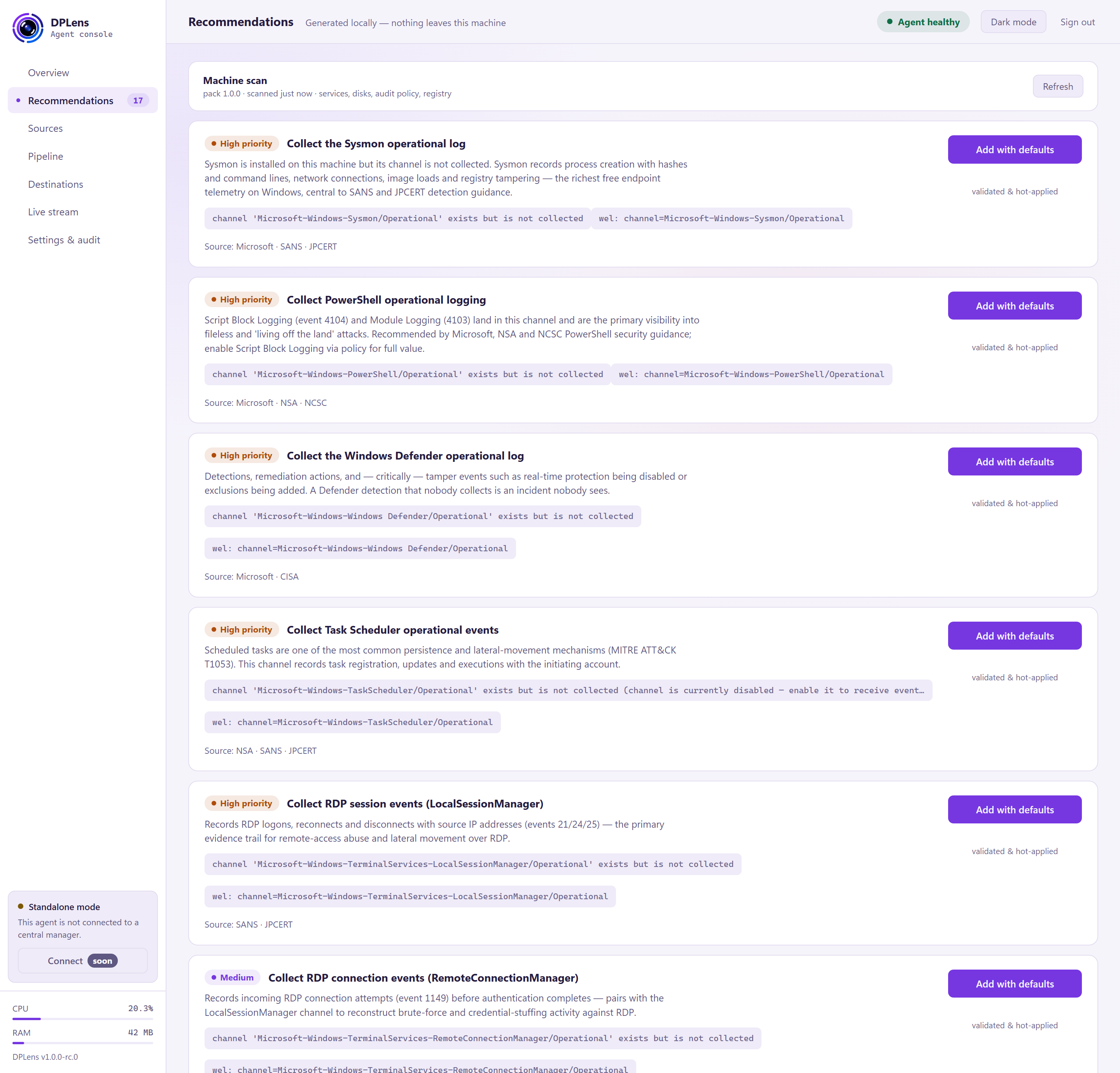
The scan is local. Nothing about your machine is sent anywhere. There is no service to call and no data to upload; the rules are built into the agent.
The machine scan
The card at the top shows when the machine was last examined, with a Refresh button to look again. Run it after you install a new role or service — a new SQL Server or IIS site changes what is worth collecting.
The recommendations
Each is a card explaining what to collect and why it is useful, with a priority:
| Priority | What it means |
|---|---|
| High | Widely valuable for detection and investigation. Most estates collect these. |
| Medium | Useful, often role-specific. |
| Situational | Worth it if you have the particular need it describes — usually higher volume. |
Some carry a note that the source needs configuration in Windows before it produces anything — DNS debug logging, for example, is off by default. The card says so rather than letting you configure a source that will stay silent.
Adding one
Add with defaults configures the source with sensible settings and applies it immediately.
This is the one place in the console where a change is not staged for review. It is validated first, and if it does not come back healthy you get the same countdown and Roll back button as any other apply — but there is no pending-changes step in between. Adjust the source afterwards on the Sources page if the defaults are not what you want.
Anything you have added in this session moves to an Applied this session list. That list is for this browser session only; the durable record is the audit log, under Settings and audit.
Recommendations you do not want
There is no dismiss button. A recommendation disappears when you apply it, or when the machine changes so that it no longer applies — a service removed, an audit policy altered.
Refreshing the scan re-evaluates everything from scratch, so the list always reflects the machine as it is now. If you have decided against a recommendation, simply leave it: it costs nothing and it will be right again the day that machine's role changes.
Using it as a checklist
The quickest way to a well-covered machine is:
- Refresh the scan.
- Add every High recommendation with defaults. Each applies as you add it.
- Work through the Medium ones, deciding on each.
- Check Overview to confirm the new sources are healthy and producing events.
- Go to Sources and adjust anything whose defaults are not what you want — those edits are staged and applied in the usual way.
Then use the Pipeline filter stage to drop what you do not need. Collecting broadly and filtering at the agent costs less than collecting narrowly and discovering the gap during an investigation.